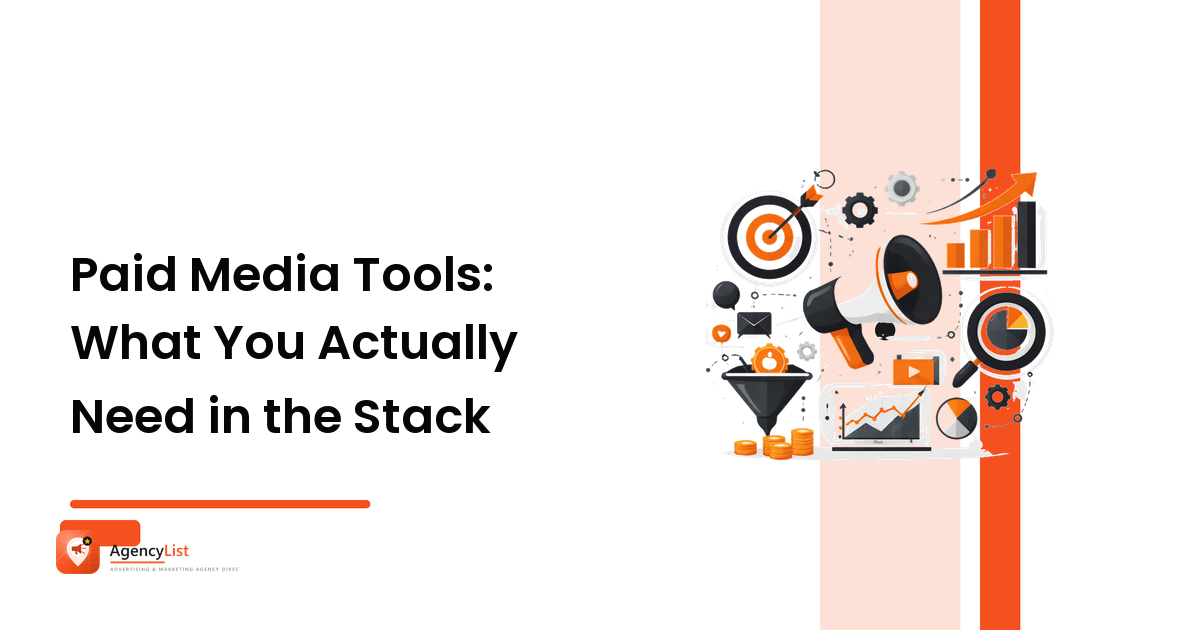
Paid media tools fall into six jobs: measurement and tracking, campaign management and automation, creative production and testing, competitive and audience research, reporting and dashboards, and budget or pacing control. Most accounts need only two or three well-chosen tools. Buy for a job the account genuinely has — never because a tool looks impressive in a pitch deck.
That sentence is the whole argument, but it's worth unpacking, because tool sprawl is one of the quietest ways to lose money in advertising. Every subscription is media budget that never reached an auction. Below is a vendor-neutral map of the paid media stack — what each category actually does, the reason you'd pay for it, and the point at which the free option is genuinely enough.
What are paid media tools?
Paid media tools are software that helps you plan, launch, measure, or optimise advertising you pay to run — search, social, display, video, retail media. They sit around the ad platforms themselves, not inside them. The native ad managers (Google Ads, Meta Ads Manager, LinkedIn Campaign Manager and the rest) are free and are always the foundation; third-party tools exist to fix the things native platforms do badly — cross-channel comparison, creative volume, attribution beyond a single platform's self-scoring, and reporting people outside the ad account can read.
That last point matters more than most tool lists admit. Every ad platform grades its own homework. A large share of what people buy paid media tools for is simply a neutral referee.
Which paid media tools do you actually need?
Work down this list in order. Each row states the job, the reason it exists, and when you can skip it. Feature sets and pricing across this category change constantly, so treat this as a map of jobs to be done and confirm current specs and limits with any vendor before you commit.
| Job in the stack | What it does | Reason to pay for it | When free or native is enough |
|---|---|---|---|
| Measurement & tracking | Server-side or tag-based tracking, conversion capture, consent handling | Platform-reported conversions diverge; you need one source of truth | Single channel, simple site, native pixel firing cleanly |
| Campaign management | Bulk edits, rules, cross-account templates, alerts | Human hours saved rise with account count and SKU count | Fewer than ~5 campaigns on one platform |
| Creative production & testing | Fast variant production, asset libraries, systematic creative tests | Social performance is creative-bound; volume is the constraint | Low creative refresh rate, or an in-house designer already fast |
| Research & competitive | Keyword and audience data, ad libraries, share-of-voice signals | Cuts guesswork at plan stage and in new categories | Established account with its own performance history to learn from |
| Reporting & dashboards | Pulls channels into one view for clients or executives | Manual reporting eats margin and invites errors | One channel, one stakeholder, monthly cadence |
| Budget & pacing control | Tracks spend against plan, flags over- and under-delivery | Missed pacing is silent lost budget or an overspend surprise | A single budget you check weekly |
Most small advertisers need rows one and six, and can genuinely run everything else from the native platforms plus a spreadsheet. Most agencies need rows one, five and six from day one — because they carry the reporting and pacing burden across clients — and add the rest as account volume justifies the licence.
How do you choose between paid media tools?
Use the same criteria you'd use to judge a channel, for the same reason: you're buying an outcome, not a feature list.
- Name the job first. Write the specific problem in one sentence — "I can't tell which channel drove the sale" — before you look at a single vendor. Reason: a defined job makes half the market irrelevant immediately, which is the point.
- Check it reads the data you already have. Native integration with the platforms you actually run, plus your analytics and CRM. Reason: a tool that can't see your revenue data can only ever report platform-reported results, which is the problem you were solving.
- Price it against the hours or the media it saves. If a tool costs less than the time it removes, or less than the waste it catches, it pays. Reason: this is the only honest ROI test for software, and it's one you can actually run.
- Test on one account before rolling it out. A 30-day trial on your messiest account tells you more than any demo. Reason: demos are run on clean data; your accounts are not clean.
- Confirm ownership and exit. Who owns the tracking, the historical data, and the account access if you stop paying — or change agency? Reason: switching costs are where tool decisions turn into lock-in.
- Prefer fewer tools that overlap less. Two tools that each half-do reporting cost more than one that does it fully, and they will disagree. Reason: conflicting numbers destroy trust faster than missing numbers.
A note on the AI-assisted layer now attached to nearly every product in this category — automated bidding, creative generation, anomaly detection, budget suggestions. Some of it is genuinely useful, particularly for creative volume and for flagging changes a human would miss. Judge it exactly as you'd judge any other feature: does it change a decision you'd otherwise make worse or slower? Automation applied to a badly structured account scales the mistakes. Get the account structure and measurement right first — the digital advertising and media buying guide covers that groundwork.
What tools does a paid media specialist use day to day?
Less than you'd think. A working media buyer spends most of their day inside the native ad managers, because that's where the levers are. Around that, the typical day touches:
- The ad platforms themselves for structure, bids, budgets and creative — the actual craft.
- An analytics platform to check what happened after the click, since the ad platform only sees its own contribution.
- A dashboard or reporting layer so stakeholders can see performance without asking for a screenshot.
- A spreadsheet. Still the most-used paid media tool in the world, and unbeatable for pacing, scenario planning and quick maths.
- An ad library or research tool when entering a new category or diagnosing a creative slump — the work of knowing when creative, not targeting, is the constraint.
If someone's tool list is longer than their reasoning, that's a flag. The skill is in the decisions; the tools only make the decisions faster or better-informed.
Do you need tools or an agency?
This is the real question behind most tool searches. Tools don't run campaigns — they lower the cost of running them well. If nobody on your team has the hours or the experience to make the decisions, a stack of software will produce excellent dashboards showing you losing money.
A rough test: if you have someone who knows what they'd do next and simply lacks the visibility or the hours, buy tools. If you don't know what you'd do next, buy expertise. And when you evaluate an agency, ask directly what's in their stack, what each tool is for, and whether the tracking and historical data stay yours if you leave. A good answer is specific and short. How to choose an advertising agency covers the rest of that conversation, and marketing analytics covers the measurement side you should insist on either way.
FAQ
What is a paid media tool stack? The set of software you use around the ad platforms to plan, measure, produce, report and control paid campaigns. A minimum viable stack is reliable conversion tracking, an analytics platform, and something to track pacing — often a spreadsheet.
Are free paid media tools good enough? Often, yes. The native ad managers, a free analytics platform, and the platforms' public ad libraries cover an enormous amount. Paid tools earn their place when account volume, channel count, or reporting load makes manual work expensive.
What's the difference between paid media tools and PPC tools? PPC tools skew toward search — keywords, bids, search terms, quality signals. Paid media is the broader term covering search plus social, display, video and retail media. Many products serve both; check which channels a tool genuinely supports rather than trusting the label.
How much should I spend on paid media tools? Judge it as a share of media budget and against the hours saved, not as a flat figure. If tooling starts crowding out working media on a small budget, the media should win — an unspent auction bid never returns anything.
Do I still need tools if my agency has them? You need one thing of your own: independent access to your conversion tracking and analytics. Everything else can sit on the agency's licences. Owning your measurement means you can verify the reporting and take your history with you.
Start with the job, not the vendor. Decide which of the six roles your account genuinely has open today, solve those, and leave the rest until volume forces the issue. And if the honest answer is that you need decisions rather than dashboards, find and compare advertising and marketing agencies on AgencyList and ask each one to show you their stack — and what it changes.